

Web Experimentation Pre-Segmentation
Pre-Segment users based on Web Experimentation Rules
Overview
Web Experimentation Pre-Segmentation lets a user be targeted based on their exposure to a Web Experimentation campaign and the variation assigned to them, thereby connecting two important platforms in the Wingify universe. It allows FM rules to be gated on, or exclude, visitors based on an in-flight Web Experimentation experiment, without an extra network round trip.
Key Features
- Accepts the visitor's Web Experimentation assignment via context.platformVariables.webTestingCampaigns, as either a plain object or a JSON string
- As the Web Experimentation assignment is read via cookies, there is no network latency involved and hence response times are not affected
- Ensures that customers have the option to exclude users from becoming part of experiments from both frontend and backend
Enabling Web Experimentation Pre-Segmentation in FM
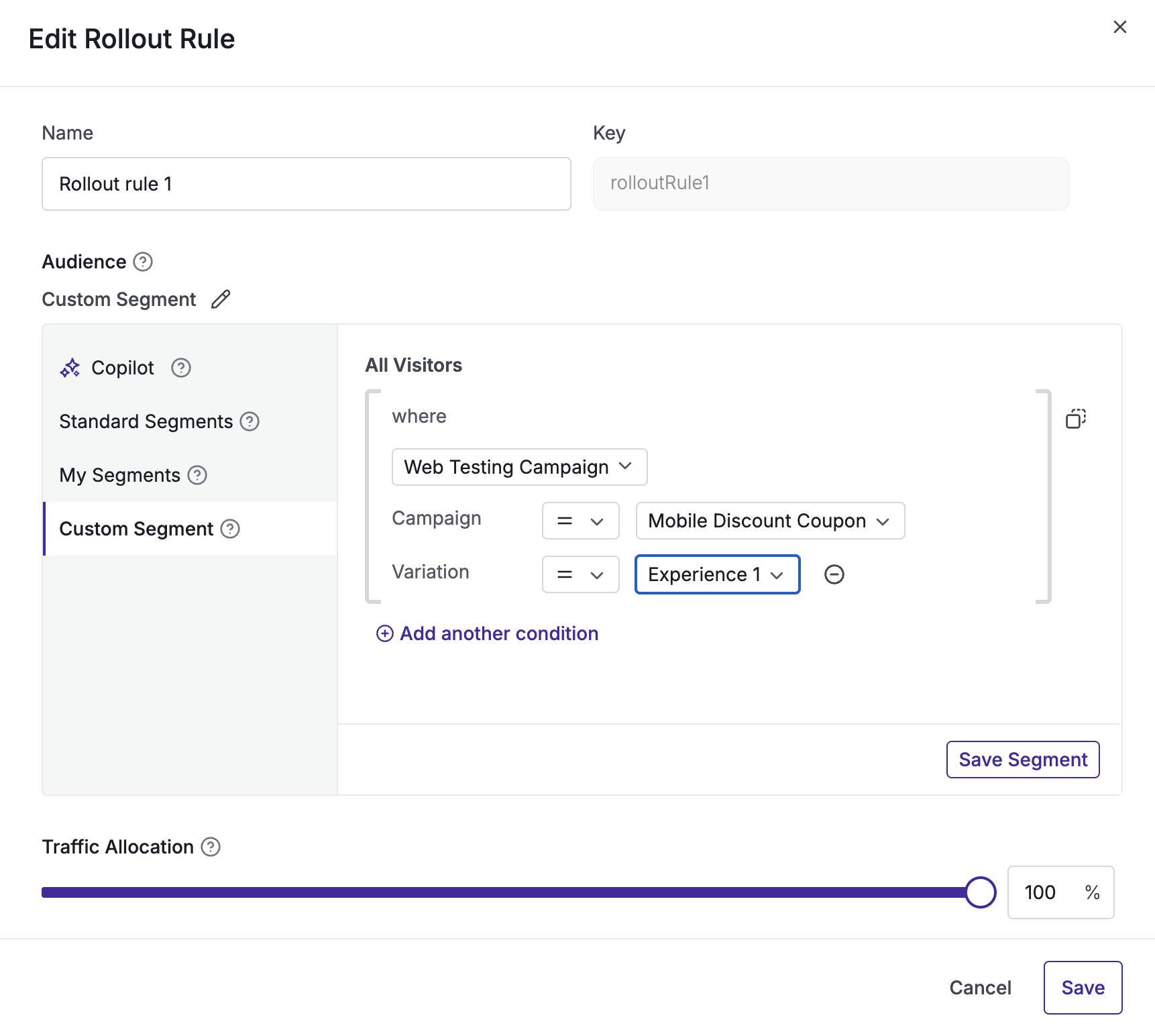
- Configure the campaign's targeting segmentation in the app dashboard to use the campaignVariation operand for the Web Experimentation campaign ID(s) you want to gate on
- Inside the context object, populate platformVariables.webTestingCampaigns with the visitor's current Web Experimentation campaign → variation assignment
- You can do this manually, or you can use our sample scriptsamplescript to read the cookie dropped by the Web Experimentation product and pass on its values to the context object directly
Usage
const context = {
  id: 'user-123',
  platformVariables: {
    // Map of Web Experimentation campaign ID -> assigned variation ID
    webTestingCampaigns: {
      123: '4',
      456: '1',
    },
  },
};
const flag = await wingifyClient.getFlag('feature-key', context);
Flow Diagram
flowchart TD
  subgraph Dashboard["Wingify dashboard"]
    A["Configure rule pre-segment"]
    B["Target or exclude Web Experimentation campaign"]
    A --> B
  end

  subgraph Application["Your application"]
    C["Read user's campaign and variation assignment"]
    D["Add the assignment to platformVariables.webTestingCampaigns in user context"]
    E["Call getFlag(featureKey, userContext)"]
    C --> D --> E
  end

  B --> C
  E --> F{"Does the assignment match the pre-segment?"}
  F -- "Yes" --> G["Feature enabled"]
  F -- "No, missing, or unmatched" --> H["Feature disabled"]
Context Field Reference
| Field | Type | Required | Description |
|---|---|---|---|
| platformVariables | Object | No | Namespaced container for platform-originated signals passed into the FM context |
| platformVariables.webTestingCampaigns | Record<string, string | number> or JSON string | Only if the campaign's DSL uses campaignVariation | Map of Web Experimentation campaign ID to the variation ID the visitor was assigned. Keys and values are coerced to strings; null/undefined values and empty keys are dropped. |
Script to read cookie value
/**
 * Reads Wingify cookies and returns a map of campaigns and variations.
 * @returns {Object} Example: { "122": "1", "130": "2" }
 */
function getWebTestingCampaigns() {
  const cookieVal = {};
  const nameRe = /^_vis_opt_exp_(\d+)_combi$/;
  const cookies = document.cookie ? document.cookie.split(";") : [];

  for (const entry of cookies) {
    const [name, value] = entry.split("=").map(s => s.trim());
    const match = nameRe.exec(name);

    if (match) {
      const campaignId = match[1];
      let decodedValue = decodeURIComponent(value);

      // Extracts the variation ID (the first numeric token)
      const variationId = (decodedValue.split(/[,\|:%]+/).find(t => /^\d+$/.test(t.trim())) || "").trim();
      if (variationId) cookieVal[campaignId] = variationId;
    }
  }
  return cookieVal;
}
Script to send cookie value to FM UserContext
/**
 * Sends the cookie value set by Web Experimentation product inside user context
 */
const userContext = {
  id: "user_123",
  platformVariables: {
    // cookie object scraped using helper script as above
    webTestingCampaigns: cookieVal
  }
};

const flag = await wingifyClient.getFlag("feature_key", userContext);
Updated 7 days ago
Did this page help you?