

Web Testing Pre-Segmentation
Pre-segment users based on their Web Testing campaign exposure and assigned variation.
Overview
Web Testing Pre-Segmentation lets you target users based on their exposure to a Web Testing campaign and the variation assigned to them. This connects Feature Experimentation rules to an in-flight Web Testing experiment without an additional network round trip.
Key features
- Accepts the visitor's Web Testing assignment through
context.platformVariables.webTestingCampaignsas either a plain object or a JSON string. - Reads the Web Testing assignment from cookies, so response times are not affected by network latency.
- Lets you exclude users from experiments across both frontend and backend targeting.
Enable Web Testing Pre-Segmentation in FE
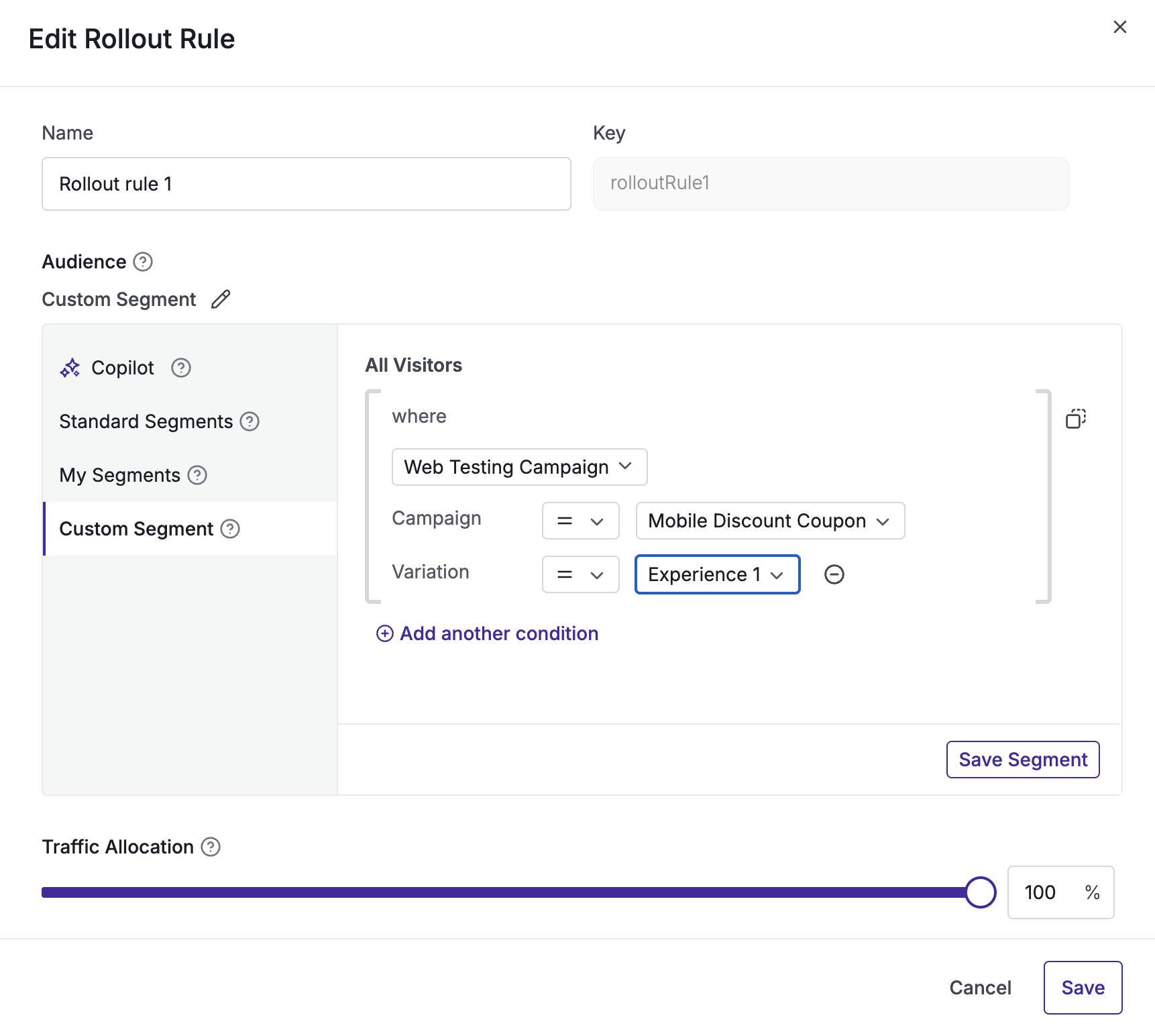
- Configure the campaign's targeting segmentation in the dashboard to use the
campaignVariationoperand for the Web Testing campaign ID or IDs you want to gate on. - Populate
platformVariables.webTestingCampaignsin the context object with the visitor's current Web Testing campaign-to-variation assignments. - Add the assignments manually, or use the sample script below to read the cookie created by Web Testing and pass its values directly to the context object.
Usage
const context = {
  id: 'user-123',
  platformVariables: {
    // Map of Web Testing campaign ID to assigned variation ID.
    webTestingCampaigns: {
      123: '4',
      456: '1',
    },
  },
};

const flag = await wingifyClient.getFlag('feature-key', context);
Flow diagram
flowchart TD
  subgraph Dashboard["Wingify dashboard"]
    A["Configure rule pre-segment"]
    B["Target or exclude Web Testing campaign"]
    A --> B
  end

  subgraph Application["Your application"]
    C["Read user's campaign and variation assignment"]
    D["Add the assignment to platformVariables.webTestingCampaigns in user context"]
    E["Call getFlag(featureKey, userContext)"]
    C --> D --> E
  end

  B --> C
  E --> F{"Does the assignment match the pre-segment?"}
  F -- "Yes" --> G["Feature enabled"]
  F -- "No, missing, or unmatched" --> H["Feature disabled"]
Context field reference
| Field | Type | Required | Description |
|---|---|---|---|
platformVariables | Object | No | Namespaced container for platform-originated signals passed into the FE context. |
platformVariables.webTestingCampaigns | Record<string, string | number> or JSON string | Only if the campaign's DSL uses campaignVariation | Map of Web Testing campaign ID to the variation ID assigned to the visitor. Keys and values are converted to strings; null, undefined, and empty keys are removed. |
Read Web Testing cookie values
/**
 * Reads Wingify cookies and returns a map of campaigns and variations.
 * @returns {Object} Example: { "122": "1", "130": "2" }
 */
function getWebTestingCampaigns() {
  const cookieVal = {};
  const nameRe = /^_vis_opt_exp_(\d+)_combi$/;
  const cookies = document.cookie ? document.cookie.split(";") : [];

  for (const entry of cookies) {
    const [name, value] = entry.split("=").map(s => s.trim());
    const match = nameRe.exec(name);

    if (match) {
      const campaignId = match[1];
      let decodedValue = decodeURIComponent(value);

      // Extract the variation ID from the first numeric token.
      const variationId = (
        decodedValue
          .split(/[,\|:%]+/)
          .find(t => /^\d+$/.test(t.trim())) || ""
      ).trim();

      if (variationId) {
        cookieVal[campaignId] = variationId;
      }
    }
  }

  return cookieVal;
}
Send cookie values to the FE user context
const cookieVal = getWebTestingCampaigns();

const userContext = {
  id: "user_123",
  platformVariables: {
    // Use the campaign-to-variation map read from Web Testing cookies.
    webTestingCampaigns: cookieVal,
  },
};

const flag = await wingifyClient.getFlag("feature_key", userContext);
Updated about 2 months ago
Did this page help you?